 highghlow


Warning
Replacement parts for the Chuwi Hi8 are no longer sold. Hovewer, replacement touchscreens for the Chuwi Hi 8 Pro are still made, and they are compatible with this device, but they have several issues:
The calibration is severely off, and will need to be reconfigured in the OS
The right-most 5mm of the screen do not respond to touches
Multitouch is not supported
Please note, hovewer, that these issues may not be inherent to the panel, but rather a side-effect of the fact that I'm using Linux, or the fact that I didn't align it perfectly on installation.
I think any panel made for Chuwi Hi 8 or Chuwi Hi 8 Pro will work, but I bought mine on AliExpress
Procedure
Remove the screws holding the metal railings. The metal railings don't do anything and can be left in place.
Remove the back cover of the device. It is held in with tabs, so use a plastic card to separate them. Do not apply much force to the top part, as it's a great way to crack it.
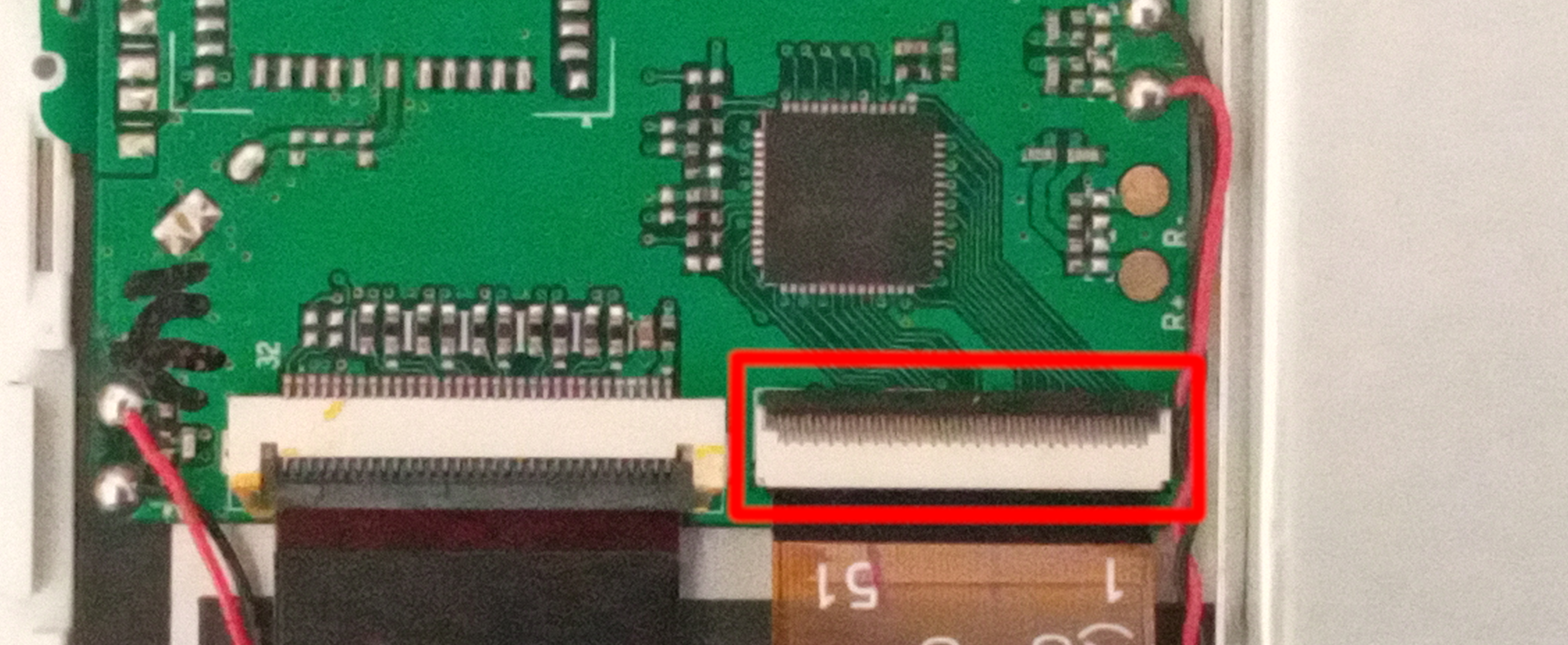
Find and disconnect the touchscreen connector:
Unscrew these three screws and remove this plastic piece
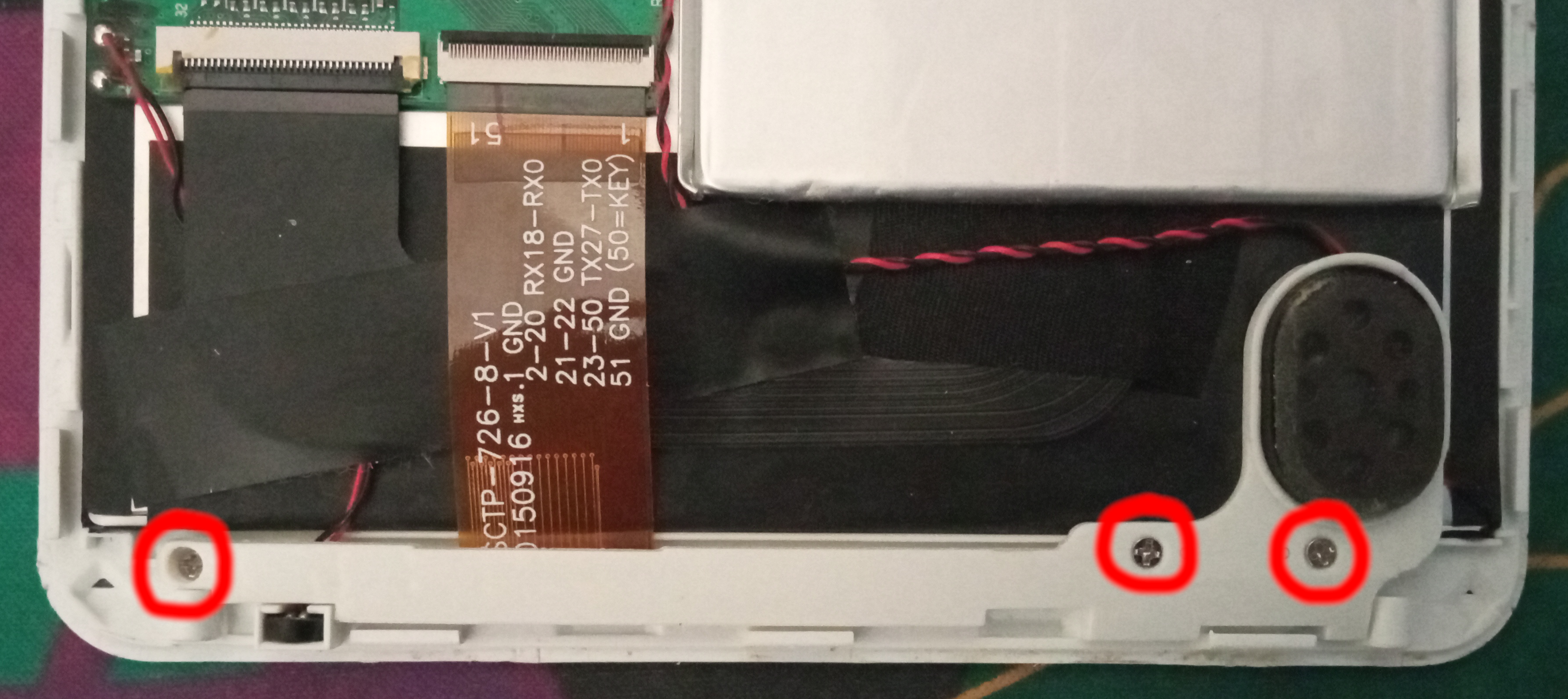
The plastic cover and glass touch surface are glued together and there is not point in separating them, so remove them together. The plastic cover is attached at all edges, while the glass surface is only attached at the bottom.
Remove the film from the back side of the new touchscreen and glue it in. It's fine if it isn't perfectly aligned, as you'll be able to calibrate it later.
Connect the ribbon cable. I've found that you have to plug it in at a slight angle. This may be because I misaligned the touchscreen, or just because it's made for a different device.
Boot the OS and calibrate the touchscreen. Instructions are only available for Linux. You may find instructions online for Windows and Android as well.